Learn how to turn off the “High-efficiency pictures” setting in your Android Camera app.
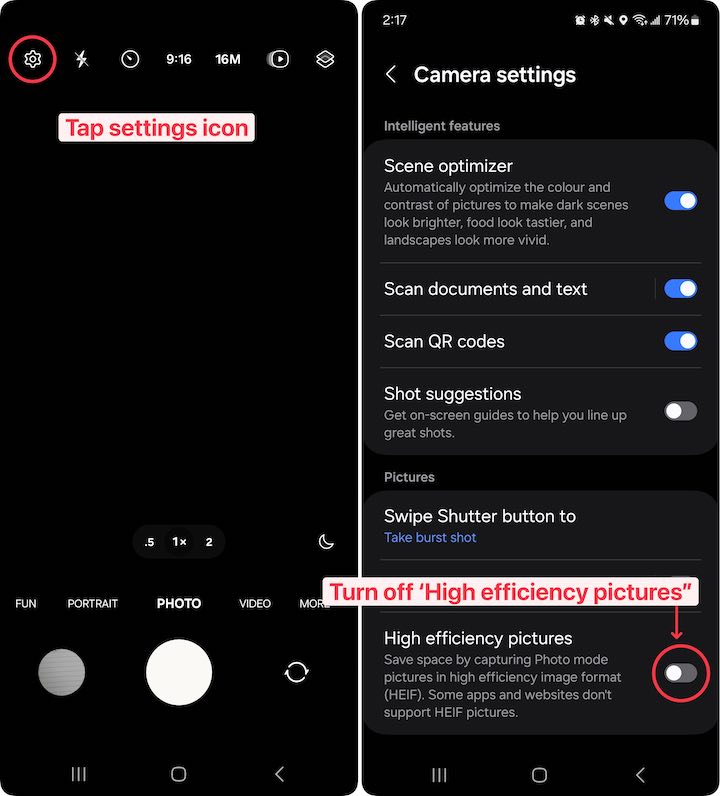
- Open the Camera app on your Android device.
- Tap the icon in the top left of your screen.
- Turn off the “High efficiency pictures” setting.

Learn how to turn off the “High-efficiency pictures” setting in your Android Camera app.