
If you encounter pages on SIKU.org which do not load correctly, it could be caused by your browsers’ cache being outdated by a new version of SIKU. Clear your browsing data to resolve this issue.
Google Chrome (macOS)
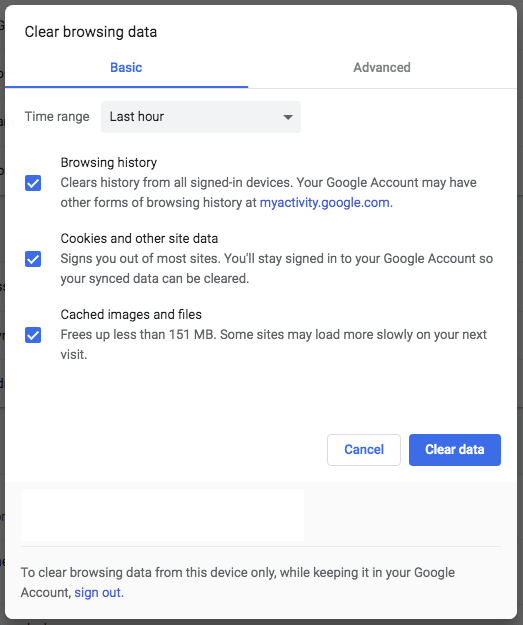
- While Google Chrome is open, navigate to the “Chrome” menu.
- Select “Clear Browsing Data…”
- A clear browsing data tab will open.
- Select the following options and press “Clear Data”.
- Cookies and other data
- Cached images and files
- Reload any open tabs.
Safari (macOS)
- While Safari is open, navigate to the “Safari” menu.
- Select “Preferences…”
- Select the “Privacy” tab.
- Click the “Manage Website Data” button.
- Press “Remove All” and confirm your selection in the subsequent dialog box.
- Reload any open tabs.
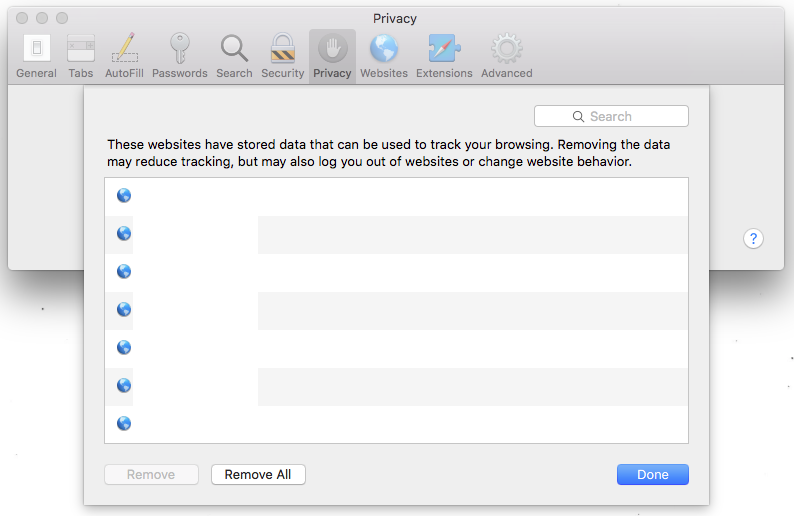
Manage Website Data 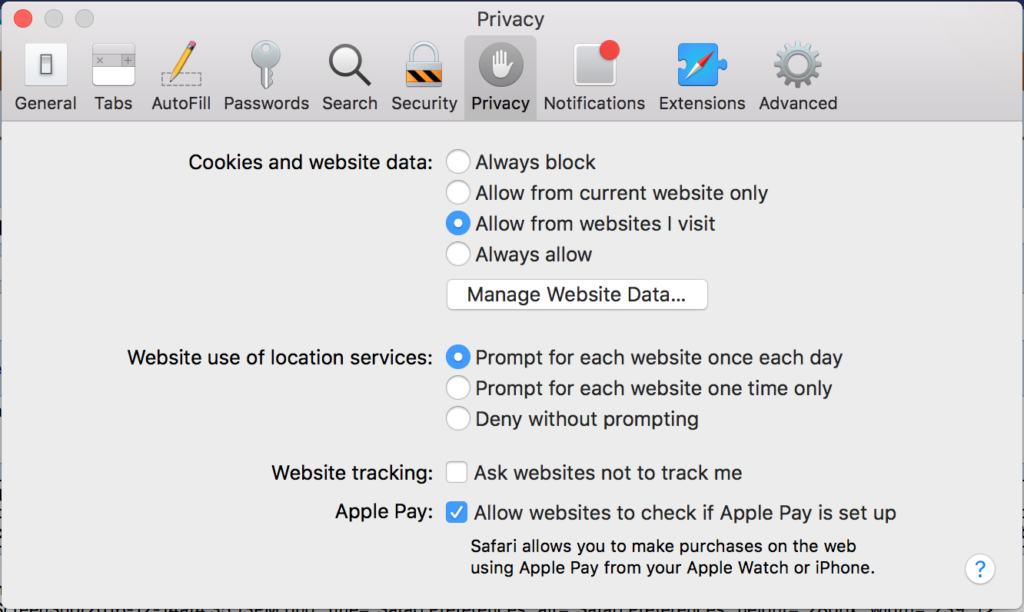
Privacy Preference Panel